
Vtryon: AI virtual try-on and catalogue photography
A LEGRESCA product
Our own AI product for fashion. Shoppers see a garment on themselves from a photo, and brands generate catalogue photos of a model wearing their garment, then add poses and colour variants.

Project context
People shopping for clothes online cannot see how a garment will look on them before they buy.
Fashion brands need model photos for every product they list, and arranging a photoshoot for each item takes time and budget.
We built Vtryon as our own product to handle both from one place: virtual try-on for shoppers, and catalogue photography for brands.
Our contribution
Vtryon is a LEGRESCA product. Our team designed, built and runs it.
We built the web platform and live demo, the Android app published on Google Play, and the Vtryon plugin for WooCommerce, published on WordPress.org.
How it works
Virtual try-on
See a garment on yourself before buying.
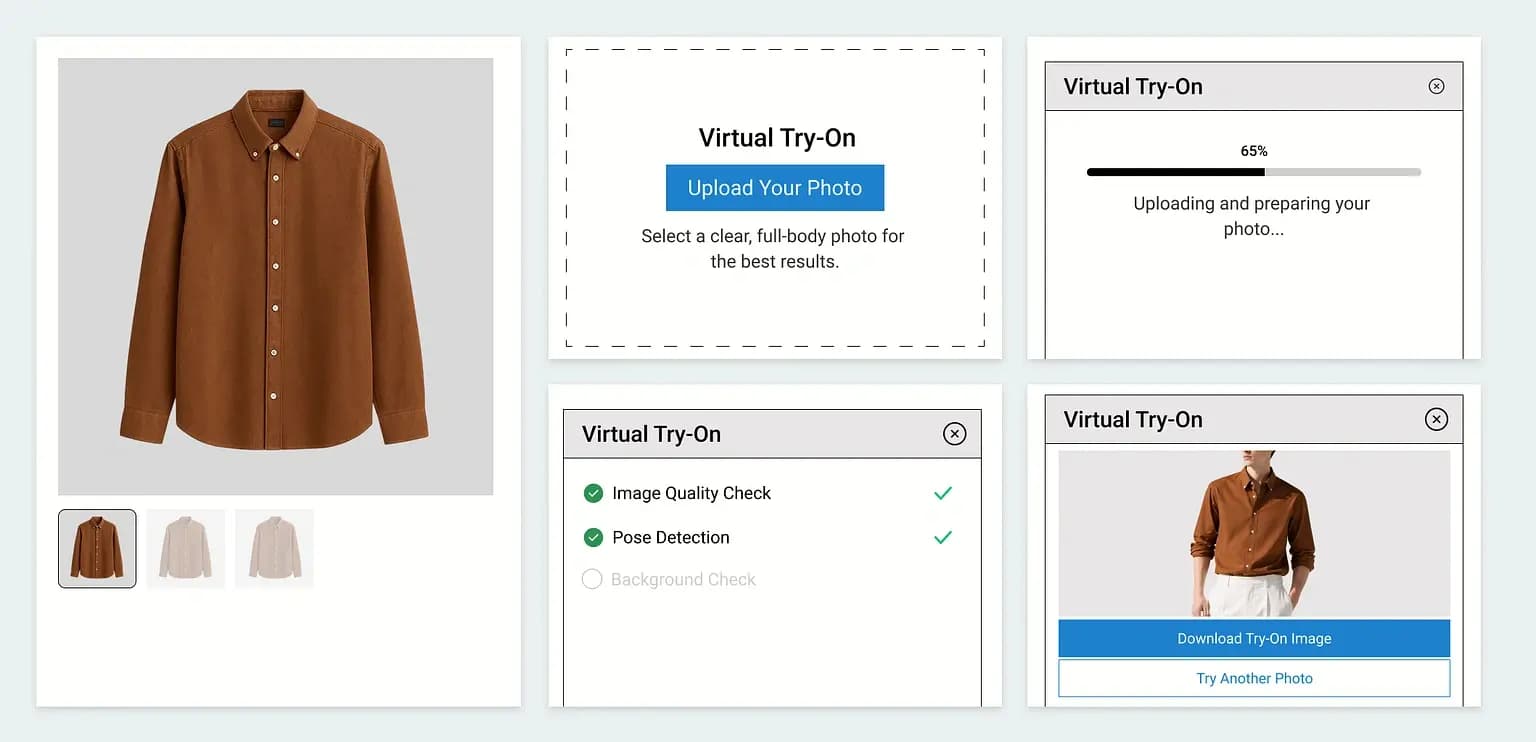
- Upload a photo of yourself.
- Upload the garment, or pick it from the store’s catalogue.
- Vtryon checks the photo for image quality and pose before it runs.
- Vtryon generates an image of you wearing the garment.
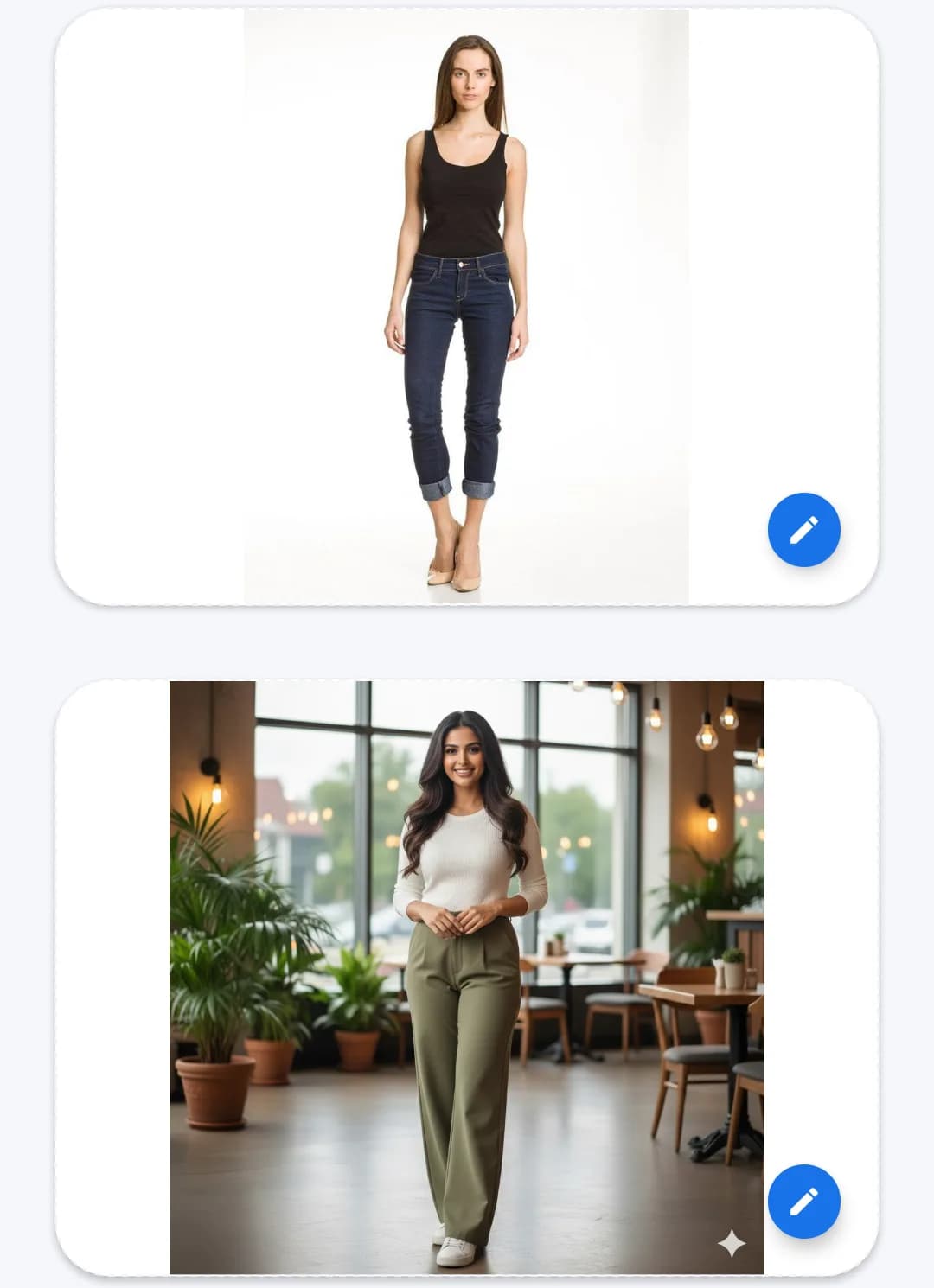

Catalogue photography
Model photos for a product without a photoshoot.
- Upload a garment.
- Select a model face and a pose.
- Vtryon generates an image of a model wearing the garment.
- Generate more poses of the same look, or colour variants of the garment.
What was delivered
- Virtual try-on from a person’s photo and a garment image
- Catalogue photography: images of a model wearing a garment, with face and pose selection
- Additional poses and garment colour variants from a generated model image
- Photo checks for image quality and pose before a try-on runs
- A WooCommerce plugin that adds a Try On button to product pages, with bulk catalogue sync and store, category and product-level controls
- A live web demo that anyone can try
Technologies we used
- Next.js
- React
- React Native
- Node.js
- WordPress / WooCommerce plugin
Planning something similar?
Tell us what you are building and we will point you to the most relevant work we can share.